
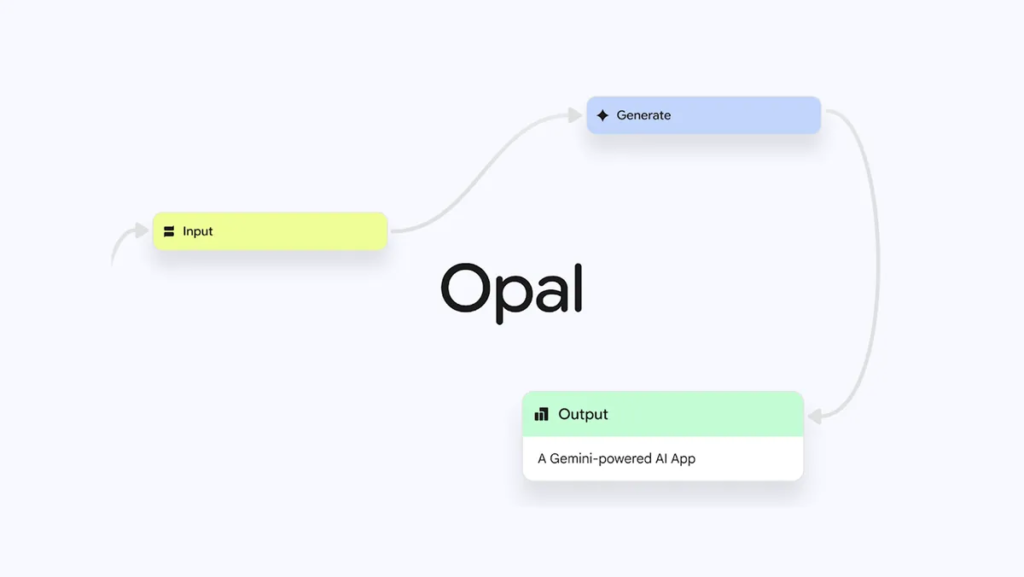
What if anyone on your team; product manager, marketer, researcher, or founder could describe a small app in plain English and get a working AI mini-app within minutes?
That’s the promise of Opal, Google Labs’ no-code “vibe-coding” experiment that turns natural-language instructions into shareable AI mini-apps.
In our internal workflows, Opal has proven surprisingly capable across rapid prototyping, workflow scaffolding, content utilities, and lightweight automation. I asked it to build a small “research triager” that takes in a topic, scans a set of URLs, and extracts insights into a structured brief. It generated an entire mini-app: inputs, processing steps, model calls, a summarization layer, and an export function, all editable in a visual canvas. Our non-technical team members were building, without engineering.
Where traditional no-code tools focus on integrations or static workflows, and where LLMs excel at single-turn generation, Opal pushes into a new category entirely: AI that can interpret intent, generate a functioning mini-app, structure its internal logic, and then let you reshape that logic, instantly and visually. It is not a chatbot, not a macro recorder, and not a templated automation builder. It is a system that translates natural language into working software.
Created as an experimental project inside Google Labs, Opal represents an important leap: from “describe what you want” → to “here is the tool you can use.”
In the times where speed of execution matters more than perfection, Opal can become a force multiplier for teams, enabling faster prototyping, cheaper experimentation, and broader participation in building AI-powered tools. Not as a replacement for engineers, but as a way to free them from the never-ending queue of small requests and empower domain experts to create what they need, when they need it.
But tools like Opal only generate impact when adopted intentionally. Without structure, experimentation becomes noise. With structure, it becomes momentum.
So using our Align → Automate → Achieve framework, let’s explore how to operationalize Opal in a way that ensures it doesn’t just sit in Google Labs, it becomes an active builder inside your team’s workflow.
Opal is an experimental, no-code AI mini-app builder from Google Labs that lets users describe what they want in natural language, and Opal creates an editable, hosted mini-app that chains prompts, models, and simple tools together.
You can start from scratch or adapt templates from a gallery, tweak flows in a visual editor, and share the resulting app as a hosted web experience, all without writing code. Opal’s goal is to democratize simple app building so non-developers can prototype automations, content tools, scrapers, or productivity micro-apps quickly.
Opal launched as a Google Labs experiment in July 2025 and has since been expanded to many more countries as Google scales access and iterates on reliability and moderation.
The platform is explicitly positioned as an experimental playground in Labs, not a finished product, but usage has shown surprisingly practical, real-world mini-apps beyond early demos.
Most organizations today face two common problems:
Too many small automation needs (ad hoc scrapers, report generators, prompt-based helpers) that don’t justify hiring engineers, and
A gap between idea and prototype, product people and non-technical teams have ideas they can’t quickly test.
Opal solves both problems.
By converting natural language into a modular workflow (prompts → model calls → tool outputs), Opal shortens the prototype cycle from days or weeks to minutes. For SMBs, consultants, and internal teams, that means faster validation, less engineering backlog, and more creative experimentation.
Google also manages hosting, so creators don’t need to provision backends or worry about deployment, Opal “instantly usable” mini-apps run on Google’s infrastructure.
The larger implication: Opal is part of a wave of “vibe-coding” and no-code AI platforms that democratize software creation. If successful, Opal shifts routine tooling needs (e.g., generate marketing copy, extract structured data from web pages, create quick dashboards) away from engineering queues into fast iteration loops led by domain experts. That’s potentially transformative for innovation velocity across organizations.
Key Market Stats & Forecasts
Global accessibility, over 160+ countries: As of November 2025, Google expanded Opal’s availability worldwide so that users across 160+ countries can now create AI-powered mini-apps without code. blog.google
Most companies embrace citizen development: Roughly 41% of enterprises already have active “citizen-developer” initiatives, enabling non-technical staff to build apps. marketingscoop.com
Rapid time-to-market for functional apps: In organizations adopting no-/low-code, about 79% succeed in building a working web app within one year. marketingscoop.com
Growing enterprise shift towards no-code/AI-powered tools: Analysts forecast the no-/low-code development market could reach USD 44–50 billion by 2026–2028, especially as generative-AI capabilities get embedded into these platforms. Adalo+2CodeConductor
Opal riding the democratization wave of AI development: As AI-powered no-code builders gain traction, tools like Opal enable business users (not just devs) to iterate ideas quickly, reducing backlog on engineering teams and accelerating innovation. The NoCode Guy
Democratized innovation at scale: With Opal available globally and no-/low-code adoption rising, companies can unlock creativity across departments, marketing, ops, product; without needing dedicated engineering resources.
Faster time-to-value: The fact that nearly 8 out of 10 no/low-code adopters ship a working web app within a year shows that tools like Opal dramatically shorten the path from idea to usable tool, ideal for pilots and internal automation.
Lower cost, lower friction: As building moves from engineering to “citizen developers” inside the company, overhead and development costs drop, while speed and agility rise. That makes AI-driven innovation accessible even to small teams.
First-mover advantage in AI-enabled workflows: With market forecasts projecting explosive growth of AI-powered low-code tools, early adopters of Opal have the opportunity to outpace rivals in automation, prototyping and internal tooling.
Scale without scaling headcount: As more organizations embrace citizen-development, companies can scale internal tools and micro-apps without a proportional increase in developer staffing, giving a big leverage advantage.
Strategic leverage in transformation and digital-ops: For executives, deploying Opal reflects a shift: from ad-hoc AI experiments to structured, widespread democratized development, embedding AI into how business gets done rather than as isolated pilots.
Natural-language app creation: Describe the app you want (e.g., “Make a competitor-watcher that scrapes product pages and emails weekly changes”) and Opal generates a stepwise workflow you can edit visually.
Visual workflow editor: Opal displays inputs, outputs, and generation steps in a flow panel you can tweak; reorder steps, change prompts, and swap models. This lowers cognitive load compared with writing prompt chains in code.
Model chaining & tool integration: Opal can chain LLM calls (e.g., Gemini), apply transformations, and call simple tools (like scraping or file export) to produce usable outputs. Google handles the model execution and hosting.
Gallery & templates: Start from community or Google-provided templates (analytics helper, blog generator, image prompt assistant) and adapt them quickly. The gallery accelerates reuse and learning.
Share and host instantly: Once built, Opal apps are hosted by Google and can be shared immediately as lightweight web apps, no server setup required.
These capabilities make Opal an ideal tool for building “mini-tools” that answer a single job-to-be-done, rather than full-scale production systems.
Opal’s user-facing flow can be summarized in three stages:
Describe (Natural language seed): The user types a plain-English description of what they want.
Opal’s LLM parses intent and proposes an initial step sequence.
Visualize & Edit (Workflow canvas): Opal translates the plan into a visual workflow: input nodes, LLM transform nodes, tool nodes (scrapers, file exports), and UI elements. Users can edit prompts, add/remap steps, and test nodes inline. The canvas makes the app structure explicit, reducing surprises.
Run & Share (Hosted mini-app): When satisfied, the creator runs the app; Opal executes model calls and tool actions server-side, and the result can be exported (CSV, doc) or shared via a URL. Google handles hosting, scaling and runtime.
Opal chains LLM-generated instructions and model calls with orchestrated steps.
While Google hasn’t published full architectural specifics, reporting and developer notes indicate Opal uses Google’s large models (e.g., Gemini) for language understanding and generation, and where needed pairs that with image or scraping services for non-text outputs.
Because Opal is an experiment in Labs, Google continues to iterate on moderation, safety, and execution reliability.
Deploying Google Opal isn’t just about using a new no-code AI tool. It’s about empowering teams to design, iterate, and deploy AI-powered mini-apps using natural language instead of engineering pipelines.
Without a structured approach, most Opal experiments end up as one-off prototypes instead of scalable micro-tools that transform workflows.
The Align → Automate → Achieve framework ensures Opal isn’t treated as a toy experiment, but becomes a practical system for rapid prototyping, operational efficiency, and distributed innovation across teams.
Before deploying Opal internally, organizations must be clear about what kinds of mini-apps they need, where Opal fits, and how to govern safe usage.
Opal accelerates outcomes, but only when those outcomes are intentionally defined.
Opal performs best for micro-workflows that need fast iteration and low-cost deployment:
Examples of outcomes:
“Reduce manual data collection and summarization time by 50% for research teams.”
“Enable marketing to generate campaign-ready content tools without engineering involvement.”
“Give product teams the ability to build internal data extractors and validation utilities in under 1 hour.”
Teams need clarity on:
Where mini-apps can replace manual tasks
Which internal workflows need small tool support
Which data sources can be safely used in Opal
What repetitive processes currently waste engineering bandwidth
This mapping helps identify high-ROI starting points for Opal mini-apps.
Focus groups across departments reveal “micro pain points” that traditional IT rarely prioritizes:
Departments to interview:
Marketing → repetitive content workflows
Product → competitor tracking, internal calculators
Operations → data cleanup, weekly summaries
Customer Support → canned response helpers, policy lookup tools
Research / Strategy → public data extraction, summarization, synthesis
Typical pain points uncovered:
Manual copy-paste workflows
Constant need for small internal tools
Long engineering queues for simple utilities
Slow cycles for testing product hypotheses
Start with small, high-leverage tools such as:
“Competitor webpage change tracker + weekly summary”
“Blog outline + visual prompt generator”
“CSV extractor from pasted text”
“FAQ responder micro-app for internal teams”
The goal: deliver visible wins in days, not weeks.
Opal is powerful, but still a Labs experiment, so governance is essential.
Governance should include:
Review steps for any app handling external data
Clear rules for using proprietary or sensitive content
Designated approvers for apps shared across teams
Documentation templates (purpose, inputs, limitations)
Audit requirements for LLM-generated outputs
Since Opal apps run on Google’s infrastructure, privacy and compliance alignment must be clear.
Pain point: Repetitive content generation and campaign ideation
With Opal: Build instant mini-tools for headlines, briefs, prompts, and competitor snapshots
Use Case: “Campaign Generator App” that outputs copy, prompts, and visuals in one flow.
Pain point: Slow prototyping cycles
With Opal: Build flow-based prototypes to validate concepts
Use Case: “UX persona synthesizer” or “Feature-prioritization helper.”
Pain point: Manual data cleanup and reporting
With Opal: Create CSV transformers, summarizers, SOP builders
Use Case: “Weekly Ops Digest App” pulling pasted data and summarizing in structured form.
Pain point: Consolidating scattered information
With Opal: Build automated scrapers, analyzers, and structured summary apps
Use Case: “Market Landscape Analyzer” that extracts signals from multiple sources.
Pain point: Visibility into workflow inefficiencies
With Opal: Create dashboards showing which teams are automating what
Use Case: “Team Productivity Snapshot App.”
CEO / Executive Sponsor: Defines north-star outcomes and automation philosophy
CTO / CIO: Aligns data, governance, and hosting requirements
Department Leads: Own the design and validation of internal tools
Change / Training Teams: Prepare staff to adopt no-code AI tooling
By the end of the Align phase:
Everyone understands where Opal fits,
Which workflows will be automated first,
What governance rules apply,
And how Opal mini-apps will be evaluated.
This clarity prevents “aimless experimentation” and paves the way for structured automation.
Once use cases and governance are defined, teams translate workflows into Opal mini-apps and deploy them as shareable internal tools.
This is where Opal shifts from “cool experiment” to “actual operational engine.”
Convert existing manual processes into Opal-style flows:
Identify inputs (URL, text, file, prompt)
Identify transformation steps (LLM calls, templates, enrichments)
Identify outputs (CSV, text summary, structured data, image prompt)
Map the flow visually inside Opal’s editor
Because Opal auto-generates starter flows from natural language, teams can go from idea → prototype in minutes.
Deploy Opal apps using:
Templates from the Opal gallery
Custom natural-language instructions
Imported flows from other team members
Apps should then be:
Tested with edge cases
Stress-tested for accuracy
Validated by reviewers
Shared internally as hosted mini-apps
Teams iterate weekly based on usage insights and feedback.
Track:
Output correctness
Model hallucination frequency
Data coverage
Failures in scraping or parsing steps
User feedback from internal testers
Refinement is part of the cycle:
Adjust prompts
Reconfigure flow steps
Add validation nodes
Introduce constraints for consistency
Team members learn:
How Opal’s visual canvas works
How to modify prompts
How to chain tools together
How to test, validate, and maintain apps
This phase shifts the organization from manual execution to operator mindset, where humans supervise while Opal performs the work.
By the end of Automate:
Opal apps are running inside real workflows
Teams are shifting from manual tasks to validation and oversight
Multiple departments begin experiencing meaningful time savings
Mini-apps deliver visible, measurable operational improvements
This phase transforms Opal from a prototyping tool to a distributed automation platform.
This is the scale-up and institutionalization phase.
The goal is to make Opal a repeatable, governed, measurable AI capability across the organization.
Track:
Number of Opal apps created
Types of workflows automated
Hours saved
Usage frequency by team
Functional coverage
This provides leadership the visibility needed to champion expansion.
Assess:
Which teams use Opal most
Which mini-apps drive the highest ROI
Where users struggle (UI? governance? data?)
Where additional training is needed
This identifies where to focus next.
Refine apps continuously:
Improve prompts
Add validation steps
Introduce versioning
Expand app capabilities
Reduce hallucination risk
This ensures Opal apps grow in reliability over time.
Once core teams succeed, expand to:
HR
Finance
Customer Support
Procurement
C-suite assistants
Every department has repetitive data tasks that can be automated with Opal.
Opal’s value is unlocked when humans focus on:
Oversight
Strategy
Exception management
Creative direction
While Opal handles the heavy lifting:
Data extraction
Draft generation
Summarization
Content transformation
Reporting
This mindset shift turns Opal from “cool tool” into daily operational infrastructure.
By the end of this stage:
Opal becomes embedded into daily workflows
Employees rely on mini-apps to automate repetitive tasks
Leadership gains visibility into time saved and efficiency gains
Internal innovation accelerates
Teams shift from execution → decision-making
Within 10 weeks, Opal transitions from a simple Labs experiment to a company-wide no-code AI automation layer.
Our Align – Automate – Achieve Framework ensures that Opal doesn’t remain a one-off pilot or ignored internal experiment. Instead, it evolves into a:
Productivity multiplier
Innovation catalyst
Rapid prototyping engine
Workflow automation layer
Distributed creation platform across the organization
When used correctly, Opal enables any team to create, iterate, and scale micro-tools that save time and unlock creativity.
Opal is a meaningful step toward making AI tooling accessible to non-developers. By combining natural-language prompting, visual workflow editing, and hosted sharing, Opal shrinks the gap between idea and a working mini-app. For teams that want faster experimentation, less engineering backlog, and the ability to prototype model-driven automations in days, not months.
Yet Opal is an experiment, not a production platform, and teams should use it to accelerate learning while relying on engineers to harden mission-critical systems.
If you’re a product leader, marketer, or operator with recurring automation needs or a backlog of small tooling ideas, try Opal to prototype.
📅 Complimentary AI Strategy Session: Let’s identify where Opal can deliver measurable, structured, and scalable impact inside your workflows.
🚀 Free Resource: Download our Leading AI-Enhanced Teams
Opal democratizes creation, the question for organizations is how quickly they will harness that speed responsibly.


