
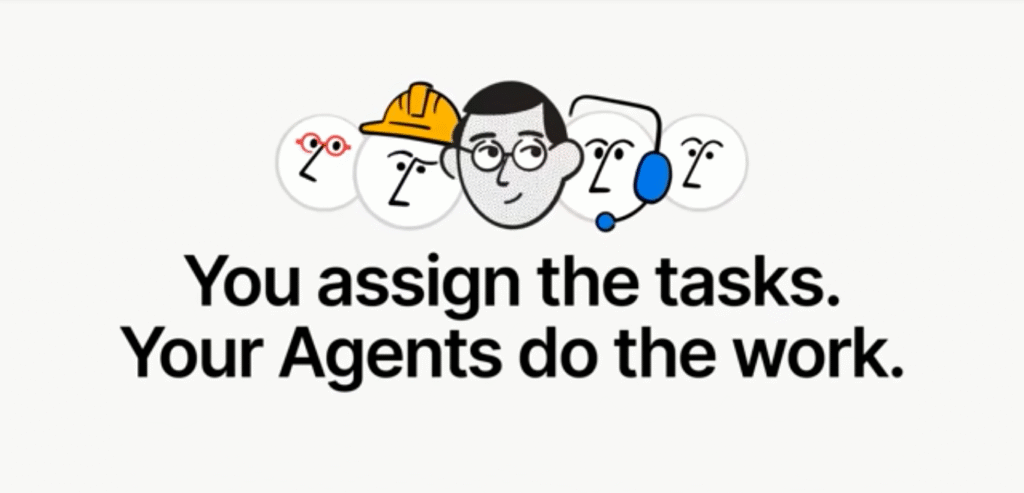
What if your workspace didn’t just store projects, it acted on them?
No toggling between tools. No context loss. No endless manual updates.
With Notion 3.0, your work environment becomes a living system: intelligent Agents that understand your docs, databases, workflows, and context, and act for you.
From drafting plans to updating databases to triaging feedback, Notion Agents can now do what you can do, but faster, more consistently, and at scale.
Built on a reimagined AI architecture, Notion 3.0 elevates its AI from assistant to autonomous collaborator.
Still, as many enterprises know well, the leap from pilot to production is rarely smooth with proper strategy, implementation and training.
95% of AI initiatives falter, often because no one built the structure to sustain them.
At AlignCoach.ai, we know that tools alone don’t guarantee success, frameworks do.
This is why I’ve always believed in having a fractional AI and Automation Team who is able to focus on the business instead of in the business.
By combining Notion’s leap forward with the Align → Automate → Achieve methodology, teams can ensure Notion 3.0 becomes infrastructure, not another well intentioned failed tool.
Because the workplaces that will lead tomorrow will be built by AI.
Until now, Notion’s AI features: summarization, content suggestions, formula generation etc. were helpful but reactive. They improved parts of work, but you still had to drive the process.
With Notion 3.0, AI agents become active executors in your workspace.
The motto: anything you can do in Notion, your Agent can do for you.
These agents can:


In short: Notion is shifting from being a smart canvas to being an autonomous work companion.
Here’s how Notion 3.0 pushes traditional workspace tooling into the world of applied intelligence:
Layer | Component | Role & Value |
Agent Core & Memory | Persistent instruction pages + context memory | Acts like a teammate who “knows” how you work and adapts over time |
Workflow Engines | Task orchestration, logic flows, branching | Allows multi-step sequences (if/then, error handling) across pages & databases |
Connectors & MCP | Integration bridges to Slack, Google Drive, GitHub, external tools | Let the agent pull or push data beyond Notion itself |
Permission & Governance | Row-level database permissions, connector scopes | Ensures agents only act where allowed, within compliance boundaries |
Execution Engine | 20-minute continuous action, batch page updates | Enables high-scale operations that go far beyond human speed |
UX and Interaction Layer | Agent command prompts, instructions page editing, feedback loops | Lets humans interact, correct, iteratively improve the agent’s behavior |
Because memory and context persist, the agent learns, instead of you repeating the instructions.
That is the shift.
Agent Market Growth
Adoption Signals & Risks
Interpretation for Executives
The timing has struck.
The demand, market momentum, and enterprise interest are aligned. Yet adoption without structure becomes a risk.
Notion 3.0 is therefore a full leap into agent infrastructure, and organizations that lead this transition will get exponential leverage.
Deploying Notion 3.0 Agents is embedding intelligence into your organization’s operating system.
Without discipline, even the smartest agents become under used experiments.
The Align → Automate → Achieve methodology prevents that, making adoption systematic, measurable, and user-centric.
This phase sets the foundation: clarity, governance, and vision. Notion Agents can only amplify what’s well defined.
Key Activities
Departmental Impact
Every department gains leverage when AI, automation, and intelligence line up with goals. Here’s how Notion Agents can transform roles:
Each department becomes synchronized in one “agentic orchestration layer” rather than disconnected tools.
Leadership Alignment Roles
By the end of week 3, all teams know where Notion Agents fit; AI becomes less novelty and more operational teammate.
Once alignment is locked, this phase is about bringing agents to life.
Core Activities

Agent Feature Map (for this phase)
Feature | Enables | Executive Value |
Multi-step execution across pages | Automate full workflows, not just isolated tasks | High leverage time savings |
Memory + instructions | Persistent learning & style customization | Less overhead in repeating inputs |
Connector / MCP integrations | Pull/push context across systems | Reduces context switching |
Row-level access & permission control | Secure agent operations | Mitigates risk & supports compliance |
Batch page updates | Apply changes at scale | Dramatic efficiency gains |
As agents go live, you’ll begin reclaiming human time: triaging feedback, drafting summaries, updating databases, and creating content; shifting work from people to systems.
This is where the transformation becomes visible and sustainable.
Focus Areas
By the end of 10 weeks, Notion 3.0 Agents become part of the system. They anticipate, evolve, and embed deeper across teams.
Many AI initiatives fail not because the tech is weak, but because adoption, governance, and refinement are overlooked.
Gartner warns that over 40 % of agentic AI experiments may be abandoned by 2027 due to misalignment or ROI disappointment.
McKinsey reports that while nearly all enterprises try AI, only 1 % feel mature at scaling it.
By pairing Notion’s breakthrough with Align’s disciplined deployment playbook, you shift not just tech, but trajectory.
Notion 3.0 is more than a version upgrade, it’s a shift from passive workspace to active collaborator.
No more toggling between apps, copying context, or rebuilding structured documents.
With Agents, your system becomes your extension. But to make it stick, you need structure.
That’s where AlignCoach.ai helps you.
By applying the Align → Automate → Achieve methodology to Notion 3.0 deployment, we turn lofty visions into sustainable systems.
We’ve guided clients through dozens of AI transformations, and we carry a 97 %+ adoption success rate across technologies and platforms.
Ready to make Notion intelligent, not just intelligent-sounding?
Free Guide: Download our Leading AI-Enhanced Teams playbook, built for executives steering transformation.
Complimentary AI Strategy Session. In 30 minutes we’ll discuss how Notion Agents can transform your workflows: securely, measurably, and fast.
Let’s align your mission, automate execution, and achieve tomorrow, powered by Notion Agents and guided by structure.