
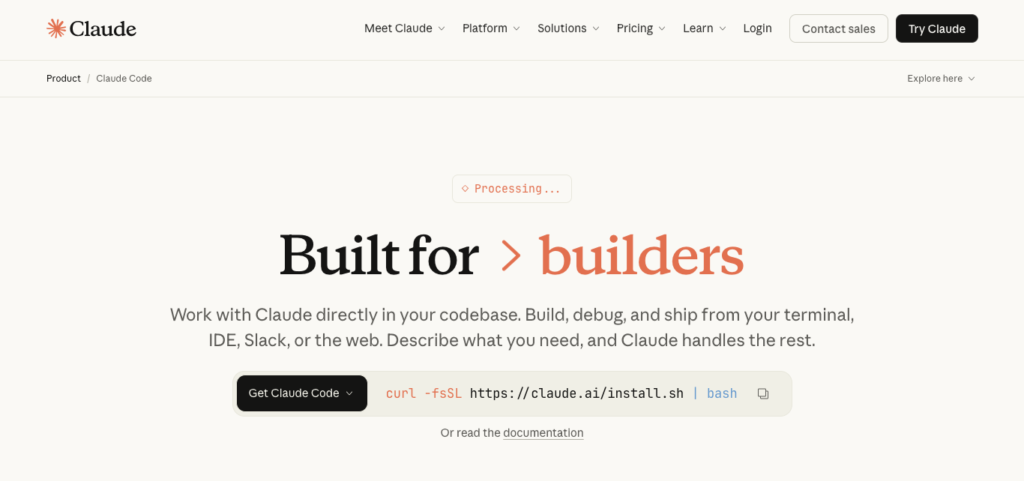
Modern development teams are struggling with complexity, codebases spread across files, toolchains, languages, tests, and dependencies that require constant manual navigation.
Traditional coding workflows are:
Slow to bootstrap new projects
Fragmented across terminals, IDEs, Git, CI/CD
Heavy on context switching and repetitive tasks
Developers spend enormous time on:
Understanding unfamiliar codebases
Writing boilerplate or refactor logic
Debugging and testing changes
Managing pull requests and branch workflows
This is where Claude Code changes the equation.
Claude Code embeds AI programming assistance directly into the commands and tools that developers use every day; terminals, IDEs, build systems, version control, and CI/CD pipelines. Rather than asking developers to “go talk to a separate AI,” Claude Code brings intelligence into the flow of work:
Mapping and explaining entire codebases
Generating context-aware code and refactors
Debugging, testing, and creating pull requests
Understanding and coordinating multi-file edits
Working with existing developer tooling without disruption
In 2026, as organizations face mounting pressure to deliver software faster with fewer developers, Claude Code becomes a practical AI layer, one that augments engineering workflows instead of distracting from them.
Recently; Boris, the creator of Claude Code, publicly shared his personal workflow. The reaction from developers was immediate and intense, not because the setup was flashy, but because it revealed something far more important: AI mastery today isn’t about using AI occasionally, it’s about structuring your entire workflow around it.
Boris runs multiple AI agents in parallel across terminals, browsers, and mobile. He relies on shared instruction files checked into Git, automated verification loops, reusable slash commands, sub-agents, and post-execution hooks. Most importantly, he doesn’t treat AI as a suggestion engine, he treats it as a collaborator embedded into planning, execution, review, testing, and deployment.
What’s striking is not the sophistication of the tools, but the mindset behind them. This is not experimentation. This is operational fluency.
And this is precisely where most organizations fall behind.
As AI moves from novelty to infrastructure, the real differentiator is no longer access to models, it’s whether employees know how to think, plan, verify, and iterate with AI as part of their daily work.
In this article, I’ll break down:
What Claude Code actually is (and what it is not)
Why it matters in today’s software development environment
How Claude Code works inside real engineering workflows
Who benefits most (with concrete use cases)
How engineering teams can adopt it responsibly
Because the teams that ship fastest and safest are the ones that can interpret, act on, and operationalize code tasks fastest. And Claude Code is built for exactly that.
At its core, Claude Code is an agentic AI coding assistant designed to help developers generate, understand, modify, test, and deploy code directly from their development environment using natural language instructions and intelligent workflow integration.
Unlike traditional AI code helpers that operate in isolated editors or browser windows, Claude Code works where developers already work:
In the terminal; executing commands, reading files, and interacting with build systems
Inside IDEs like VS Code and JetBrains with deep project awareness
Alongside version control (like Git, GitHub, and GitLab) to translate issues into code changes and pull requests
Across multiple files with cohesive, coordinated edits that respect dependencies and project structure
Agentic Codebase Understanding
Claude Code can map and analyze entire codebases; understanding project structure, dependencies, and logic without requiring manual file selection or snippet context.
Multi-File Edits & Intelligent Refactors
Unlike many code suggestions that operate on single snippets, Claude Code is capable of coordinated multi-file changes, making it far more useful for feature work and comprehensive refactors.
Natural Language Interface
Developers give plain-English prompts such as:
“Add pagination to the users API and generate corresponding tests.” Claude Code interprets and executes, turning intention into code, tests, and commits.
Integration With Development Tools
Claude Code interacts with:
Version control (GitHub, GitLab) for PRs and branches
Test suites and build environments
Command-line workflows without context switching
Controlled Execution
Claude Code never modifies files without explicit approval, developers can inspect and accept changes before commits are made.
In short, Claude Code is not about asking questions. It’s about making your development system smarter by default, enabling developers to focus on decision-making rather than rote construction and navigation.
Most organizations already have source control, CI/CD pipelines, and IDEs in place. What’s missing is intelligence at the execution layer that helps teams speed up software delivery while maintaining quality.
Developers spend hours every week on non-strategic tasks:
Navigating unfamiliar code
Writing boilerplate logic
Debugging and testing
Creating pull requests and managing branches
These are not value-driving tasks, yet they consume strategic development time.
Claude Code targets this gap by embedding intelligence where it actually matters:
Instead of: Humans understanding → coding → debugging → PR management
You get: AI mapping context → generating code → managing tests → suggesting (Pull Requests) PRs
This creates leverage.
Several macro trends make Claude Code especially relevant:
AI coding tools reaching into production workflows, changing how engineers approach build/test cycles
Shift toward “vibe coding”, coding with natural language instead of manual boilerplate generation
Rapid growth of AI coding assistants across teams, from prototypes to scalable deployments
Enterprise support and expansion, including web apps and plugins for broader integration
Claude Code fits squarely at this intersection: code intelligence without chaotic context switching.
These capabilities make Claude Code an augmentation layer, not a replacement for engineering judgment.
A typical Claude Code workflow looks like this:
Initialize Claude Code
Install via CLI ↑ or use web/IDE integrations.
Connect to your repository and local environment.
Ingest Context
Claude Code maps your codebase using agentic search.
It understands dependencies, patterns, and existing logic.
Natural Language Prompt
You describe what needs to be built or fixed.
Intelligent Execution
Claude Code generates code, refactors, tests, and even runs them if configured.
Suggested changes appear for approval.
Version Control Output
When approved, changes can be committed and PRs can be generated.
Review & Iterate
Developers review AI output, refine, and deploy.
This loop runs without context switching, without separate tools, and without manual boilerplate writing, helping teams focus on higher-order decisions.
Claude Code is especially useful for:
Engineering Teams Scaling Delivery Reduce time spent on routine code tasks and focus on product impact.
New Developer Onboarding Quickly understands codebase structure and patterns.
Cross-Functional DevOps Workflows Align commits, tests, and CI/CD with fewer manual steps.
Prototype to Production Cycles Get features written, tested, and PRed faster.
Claude Code has seen widespread adoption and competitive traction:
It has driven rapid enterprise usage, reportedly reaching $1 billion in annualized revenue shortly after launch, outpacing alternatives like OpenAI’s Codex.
Enterprise extensions like Cowork plugins are expanding its utility in complex business workflows.
Developers and leaders report a “phase shift” in coding workflows, where natural-language prompts increasingly replace manual coding tasks.
These signals point to a broader industry shift: AI assisting real execution, not just content generation.
Deploying Claude Code isn’t just about giving developers access to an AI that can write code. It’s about restructuring how engineering teams design, implement, review, and ship software using an AI-native development workflow.
Without a structured approach, Claude Code risks becoming:
A glorified autocomplete tool
An inconsistent coding assistant
Or worse, a source of unreviewed technical debt
The Align → Automate → Achieve (AAA) Framework ensures Claude Code evolves from a helpful assistant into a systemic productivity and quality multiplier across your SDLC.
Before Claude Code touches production repositories, alignment establishes technical, operational, and cultural readiness.
Claude Code is only effective when teams agree on how code should be written, reviewed, tested, and governed.
Define top engineering outcomes
Start by articulating clear, measurable objectives that Claude Code will support.
Examples:
“Reduce feature development cycle time from 3 weeks to 10 days.”
“Cut PR review backlog by 40% without sacrificing code quality.”
“Standardize architectural patterns across all repositories.”
“Reduce onboarding time for new engineers by 50%.”
These outcomes become the guardrails for how Claude Code is configured and used.
Audit your development environment
Map the full engineering ecosystem:
Repositories (monorepo vs multi-repo)
Programming languages and frameworks
CI/CD pipelines
Code review processes
Testing frameworks
Security and compliance checks
Identify:
Repetitive coding tasks
Inconsistent patterns across teams
Bottlenecks in PR reviews
Areas where engineers spend time thinking vs copying
This audit defines where Claude Code should assist, and where it should not.
Establish coding standards & AI usage rules
Claude Code performs best with explicit constraints.
Define:
Approved architectural patterns
Preferred libraries and frameworks
Naming conventions
Documentation standards
Testing expectations (unit, integration, edge cases)
Also define AI guardrails:
What Claude Code can generate autonomously
What requires mandatory human review
What is forbidden (e.g., secrets, infra credentials, regulated logic)
This prevents misuse while increasing trust.
Interview stakeholders
Claude Code adoption is cross-functional.
Engage:
Engineering leads
Staff/principal engineers
DevOps
Security
Product managers
Identify friction points:
Slow feature delivery
Review fatigue
Inconsistent code quality
Knowledge silos
Context switching between tools
Document not just what they want automated, but why it matters to delivery velocity and system stability.
Design pilot use cases
Start with high-impact, low-risk workflows.
Examples:
Generate boilerplate for new services
Refactor legacy functions with test coverage
Write unit tests for existing code
Generate PR summaries and documentation
Assist with migration tasks (framework upgrades, API changes)
Limit scope, but ensure results are quantifiable.
Establish governance
Define ownership and accountability:
Who approves Claude Code prompts and templates
Who reviews AI-generated code
How exceptions are handled
How usage is logged and audited
Set escalation paths for:
Security concerns
Hallucinated logic
Performance regressions
Governance is what turns Claude Code into enterprise-grade infrastructure rather than an experiment.
Claude Code impacts more than just developers.
Engineering
Pain point: Engineers spend disproportionate time on boilerplate and refactoring.
With Claude Code:
Generate clean, idiomatic code aligned to team standards.
Refactor safely with contextual understanding of the codebase.
Use case: Claude Code generates feature scaffolding → engineer focuses on logic and edge cases.
DevOps / Platform
Pain point: Infrastructure scripts and configs are repetitive and error-prone.
With Claude Code:
Generate Terraform, YAML, and CI pipelines with consistent patterns.
Explain and refactor existing infra code safely.
Use case: Claude Code drafts CI workflow → DevOps validates → deploys faster with fewer rollbacks.
Security
Pain point: Late-stage vulnerability detection.
With Claude Code:
Review code for common security flaws.
Generate safer alternatives aligned to internal policies.
Use case: Claude Code flags insecure patterns during development, not after deployment.
Product & Engineering Management
Pain point: Limited visibility into engineering throughput and bottlenecks.
With Claude Code:
Summarize PRs, architectural decisions, and technical tradeoffs.
Improve cross-functional communication.
Use case: PM receives AI-generated summaries instead of deciphering commits.
By the end of Align, Claude Code is positioned not as a novelty, but as a trusted engineering collaborator with clearly defined boundaries and ROI expectations.
With alignment complete, Claude Code is embedded directly into daily engineering workflows.
Workflow Integration
Embed Claude Code into:
IDEs
Code review processes
CI pipelines
Documentation workflows
Examples:
“On PR open → Claude Code generates summary + risk notes.”
“On new service creation → Claude Code scaffolds files + tests.”
“On legacy refactor → Claude Code suggests modernization paths.”
Prompt & Template Engineering
Standardize prompts:
Feature generation templates
Test generation prompts
Refactoring instructions
Documentation styles
This ensures consistency across teams and reduces prompt entropy.
Deployment & Validation
Grant repository-level access
Run controlled test cases
Validate output against standards
Measure time saved vs error rates
Iterate prompts before scaling.
Training & Calibration
Train engineers on:
How to collaborate with Claude Code
How to review AI-generated code effectively
When to override or reject suggestions
Claude Code augments judgment, it does not replace it.
By the end of Automate, Claude Code becomes a default co-developer, not an optional tool.
The Achieve phase is where Claude Code transitions from productivity booster to engineering leverage infrastructure.
Deploy Metrics & KPIs
Track:
Cycle time reduction
PR review duration
Bug rate pre/post adoption
Engineer satisfaction
Onboarding speed
Tie metrics directly to delivery outcomes.
Monitor Adoption Patterns
Identify:
Teams overusing or underusing AI
Manual workarounds
Trust gaps
Optimize usage through targeted enablement.
Continuous Improvement
Refine:
Prompts
Guardrails
Use cases
Expand Claude Code into:
Migration projects
Large-scale refactors
Platform modernization
Scale Across the Org
Roll out standardized playbooks for:
Feature development
Infrastructure changes
Documentation
Incident postmortems
Claude Code becomes part of how engineering operates, not a separate layer.
Claude Code does not replace engineers. It compresses the distance between intent and execution.
Humans focus on:
Architecture
Tradeoffs
Judgment
Creativity
Claude Code handles:
Repetition
Translation
Pattern enforcement
Context recall
In ~10 weeks, Claude Code transforms engineering from:
Manual coding → Intent-driven development
Knowledge silos → Shared system intelligence
Slow reviews → Continuous flow
Reactive delivery → Scalable velocity
Claude Code becomes not a tool, but a capability.
If your team:
Spends excessive time on boilerplate, refactors, or navigation
Struggles with onboarding or complex codebases
Needs to accelerate delivery without compromising quality
Wants intelligence embedded in developer workflows, not isolated chat tools
Then Claude Code is a practical, scalable choice.
Start with one workflow. Prove trust. Scale deliberately.
And, if you’re a CTO, engineering manager, or product leader navigating delivery pressure and developer productivity challenges, 30-minute Complimentary AI Strategy Session, let’s identify where Claude Code can reduce manual coding effort, improve code quality, and accelerate decisions without disrupting how your teams already work.
If you’re building software at scale, Claude Code can become your embedded coding intelligence layer.


