What happens when the browser you use every day becomes your smartest assistant, instead of being just another unused plugin?
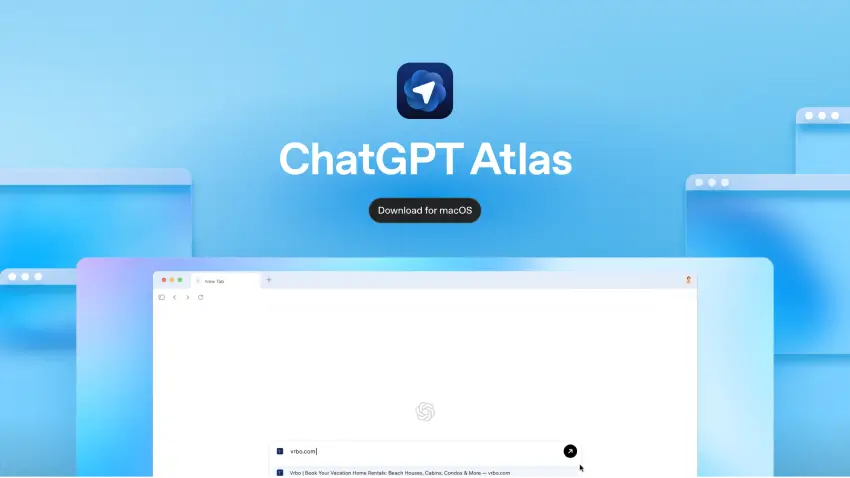
Last week, I found myself knee-deep in research for a client project: switching between five tabs, copying and pasting URLs into a chat window, losing focus, restarting. And then I tried ChatGPT Atlas the moment it launched on October 21, 2025. Instead of hunting for the right tab, I asked: “What are the key trends in our competitor’s pricing this month?” In seconds the browser highlighted tabs I’d already opened, pulled data, and drafted a summary.
That experience shifted something for me: it was a new way of working.
In your company, the same shift can happen, if you adopt intentionally and strategically.
Built by OpenAI, ChatGPT Atlas represents a major step in reframing how we interact with the internet, from searching to knowing and doing. As many executives have seen first-hand: launching flashy tools isn’t enough. The structure behind usage, adoption and ROI is what counts.
At AlignCoach.ai, we guide companies through the Align → Automate → Achieve journey, turning operational tools into team adoption, traction, and business engines. Because the next wave of high-performing organizations will be powered by AI.
What Is ChatGPT Atlas?
A browser re-imagined as your intelligent workspace
Traditionally, the browser has been the portal to the web: tabs, links, search results, bookmarks. With ChatGPT Atlas, your browser becomes part of your cognitive stack.
Rather than switching between “browser ↔ ChatGPT ↔ document”, you stay in one environment where ChatGPT understands what you’re doing, what you’ve done, and what you want to do next.
Key capabilities include:
- Built-in ChatGPT sidebar in every tab that understands the page you’re viewing and your past browsing context.

- Browser memories: optional feature that lets Atlas remember what you’ve explored (pages, documents, patterns) and re-surface that context when relevant.
- Agent mode: on premium tiers, ChatGPT can take action for you in the browser, open tabs, fill forms, and automate workflows.
- In-line writing & editing assistants: highlight text in emails, documents, forms and get ChatGPT suggestions right there; no copying, no toggling.
- Data & privacy controls built-in: you decide which sites the assistant can read, what it remembers, and can operate in logged-out or incognito mode.
In short: instead of “I use a browser and occasionally open ChatGPT”, the story becomes: “My browser is ChatGPT: contextual, proactive, and aligned with my work.”
How ChatGPT Atlas Works: The Mechanism of Action
The way Atlas shifts from concept to capability can be seen in three macro phases: Build, Deploy, Optimize, which map directly to our Automate & Achieve phases (we’ll cover Align separately).
Build (Design + Setup)
- Import your bookmarks, passwords, history, and browsing context from your existing browser into Atlas.
- Choose whether to enable browser memories and define the data-visibility settings.
- Define key workflows you want the assistant to handle: e.g., “Summarise research articles I open”, “Pull competitive insights across sites I visit”, “Automate the process of gathering product specs from multiple tabs”.
Deploy (Live Use & Embed)
- In each tab you can chat with the assistant: ask for summaries, comparisons, next steps, or even task sequences.
- Agent mode (Plus/Pro/Business users) allows the assistant to act: open tabs, complete web-based forms, do purchase workflows, navigate interfaces.
- Teams begin using the browser as the frontline tool, the browser becomes the workspace, not just the gateway.
Optimize (Measure & Scale)
- Monitor usage: how often tabs invoke the assistant, how many agent-sessions complete successfully, where overrides occur.
- Refine the assistant’s memory and instructions, as teams correct or refine outputs, you optimize the behaviour.
- Scale across departments: once pilots succeed, widen to marketing, operations, finance, HR; all using the same intelligent browser platform.
Why ChatGPT Atlas Arrives at a Critical Moment
Executive Pain Points
- Overload of context switching: Executives and teams spend countless hours flipping between tabs, apps, dashboards and documents. Every tab or tool switch fragments attention, slows decision-making and increases risk of error.
- Low adoption of AI-tools into daily workflows: Many organisations have invested in generative AI or new tools, but saw limited business impact because the tools stayed in the pilot phase or remained disconnected from the work itself.
- Rising expectation, shrinking patience: Investment in AI is expanding, but business leaders are under pressure to show measurable ROI fast. A tool that just sits won’t cut it.
- Competitive risk of lagging behind: Organisations that fail to embed intelligent automation into core workflows risk slower time-to-insight, higher cost per output, lost talent or lower engagement.
- Growing complexity & compliance risk: As AI expands, governance, memory/context control and data integration become non-negotiable, unmanaged tools can expose risk.
Market Forces & Data You Should Know
- The AI productivity tools market is expected to exceed $150 billion by 2028, driven largely by generative AI copilots, browsers, and workflow agents. ChatGPT Atlas sits at the intersection of these fastest-growing categories.
- According to McKinsey (2025), companies embedding generative AI directly into daily workflows (vs. using it as a standalone tool) achieve productivity gains of 30–45% and time-to-decision reductions of up to 60%.
- Harvard Business Review (2025) found that knowledge workers using AI copilots in browsers and office tools experienced a 59% reduction in cognitive switching time, and 2.6x faster completion of research and writing tasks.
- Gartner (2025) projects that by 2026, 70% of digital work will occur through AI-augmented browsers or workspace platforms, making early adoption of Atlas-style tools a strategic differentiator for enterprises.
- In a recent Deloitte AI Adoption Survey, 72% of executives said the biggest barrier to realizing AI ROI is fragmented workflows and lack of user adoption. ChatGPT Atlas directly addresses both by embedding intelligence where work already happens, in the browser.
And yet, the gap is real: In a 2025 study, 42% of C-suite executives reported that AI adoption was “tearing their company apart” because of misalignment, lack of strategy or chaotic roll-out.
Therefore, Why This Is a Strategic Timing for Atlas
- Your teams are already using browsers; the browser is central to daily work. Atlas doesn’t add another tool, it transforms the tool they already use.
- With the shift from tool pilots to workflow embedding, executives need solutions that both integrate deeply and show value quickly. Atlas has that potential, and AlignCoach.ai’s framework (Align → Automate → Achieve) gives you structure so adoption isn’t random.
- Given the high percentage measuring successful AI integration (97%+), your organisation will be part of the majority setting the standard, not the laggards.
- Organisations that skip integrating AI into foundational workflows risk being part of the 95% who say AI efforts are disruptive because they lack strategy.
- Moving earlier rather than later matters: as more vendors and tools enter, competitive advantage shifts to those who imbue intelligence into their core stack. A browser upgraded to an agent is a foundational stack change.
Interpretation for Executives
The window of opportunity is opening: intelligence at the browser level means fewer toggles, less context switching, higher productivity. But like any major platform shift, without governance and adoption strategy, it can become another siloed experiment or security weak spot.
That’s where AlignCoach.ai’s methodology comes in: we turn the browser from novelty into business-asset, ensuring you’re not part of the pilots that fade, but part of the 5% that scale.
How the Align AI Framework Accelerates ChatGPT Atlas Adoption & Integration
Deploying ChatGPT Atlas isn’t just installing a new browser, it’s embedding a new mode of working into your company’s daily rhythm. Without structure, even cutting-edge tools become shelfware.
Here’s how the Align → Automate → Achieve framework drives meaningful, measurable adoption, just like we do at AlignCoach.ai.
Step 1: Align (2–3 Weeks)
Before you open the browser, get your strategy right.
Key Activities:
- Define top business outcomes: e.g., reduce research-to-insight time by 30%, cut browser-tab toggles by 50 %, or automate bi-weekly competitor scans.
- Audit current workflows and tools: where do users switch tabs, copy/paste between apps, lose context? Inventory your existing browser usage, extension sprawl, and duplication of work.
- Interview stakeholders: capture pain-points from executives, department heads, project teams. Hear the “why I toggle 4 tools instead of one” story.
- Pilot scoping & governance planning: select one or two workflows with high ROI and manageable complexity. Define data-access rules, memory permissions, privacy guardrails (built into Atlas).
Departmental Focus & Impact
Every part of your business benefits when intelligence, automation and context align with department goals. Here’s how ChatGPT Atlas delivers departmental impact:
- Executive / Leadership:
Get executive briefs generated from browsing sessions, summarise trends, surface risk points, track assistant metrics.
- Sales:
Agents compile prospect research from the web, generate outreach drafts, update CRM from web data, all within the browser.
- Marketing:
Use the browser to aggregate competitive content, summarise market articles, generate creative briefs, and push tasks to teams without leaving your tab.
- Operations:
Automate cross-tool flows: e.g., after reviewing a web order, update the ERP, notify logistics, log the ticket, all in one place.
- Human Resources:
Onboarding flows, training trackers, internal portal updates, highlight policies, update courses, summarise feedback, all from one workspace.
- Finance:
Agents scan web platforms, extract data, generate monthly summaries, send alerts, drastically reducing manual data entry across sites.
- Client Success:
Clients’ public feedback, forums, portals, and websites scanned by an agent; summary insights trigger outreach internally.
Leadership Roles
- CEO / Exec: model use of Atlas, show preference for assistant-led browsing.
- CTO / CIO: ensure browser installation, SSO, extension controls, privacy guardrails are set.
- COO: validate pilot ROI, track usage, refine workflow scope.
- HR / Change Lead: design training, incentives, adoption metrics.
- Department Heads: own rollout and feedback loops.
By the end of week 3, teams and leaders should see not just “we installed Atlas” but “we defined what we’ll let the assistant do and how we’ll measure it.”
Step 2: Automate (4–6 Weeks)
This is where the browser becomes the work-engine.
Core Actions:
- Map detailed workflows into browser-agent flows: e.g., highlight document → ask for summary → update project board → email stakeholders.
- Enable agent mode and test across users: early adopter groups in sales, operations, etc.
- Embed the intelligent browser into daily tasks: set it as default, remove older tool toggles, build new tab prompts aligned to process.
- Monitor overrides and errors: where does the agent mis-act or require manual correction? Refine memory/instructions accordingly.
- Training & user enablement: teach staff how to ask the right prompts, manage memories, override agent decisions when needed.
Agent Feature Map For Executives:
Feature | Enables | Benefit & ROI |
Built-in ChatGPT across tabs | Unified workspace, less toggling | Up to 20–30 % time saved in research tasks |
Browser memories | Context carried across sessions | Fewer lost threads, less re-work |
Agent mode (action-on-your-behalf) | Automate complex web flows | Reduces manual admin steps significantly |
Privacy & guardrail controls | Safe rollout across company | Mitigates security/governance risk |
As automation takes hold, you’ll see meaningful shifts: less copying/pasting, fewer browser tabs, more output per user, across departments.
Step 3: Achieve (2–3 Weeks)
Here is where impact becomes visible and enterprise-grade.
Key Moves:
- Build live dashboards tracking browser-assistant adoption, number of agent-sessions, override rate, time saved.
- Measure business outcomes: e.g., reduction in research cycle time, increase in cross-tool workflow velocity, improved client response time.
- Scale rollout beyond pilot departments: extend to marketing, HR, finance, client success.
- Governance scaling: expand agent permissions, open additional workflows, tighten data access policies as trust is built.
- Embed culture: Make using the smart browser the default. Train new hires accordingly. Position Atlas as frontline tool, not niche.
In just ~10 weeks, your organisation shifts from “trialling smart browser tech” to “working through a browser built for execution.”
Why This Structured Approach Matters
With new platforms like ChatGPT Atlas, hype is high, but many initiatives falter not due to technology, but due to lack of structure, governance and adoption.
Analysts note that while AI usage is rising, maturity is low.
By using the Align→Automate→Achieve framework, you ensure your smart browser initiative isn’t just another pilot, but becomes infrastructure.
Ultimately…
ChatGPT Atlas is a shift in how work gets done. Your next competitive edge doesn’t come from upgrading a tool; it comes from upgrading the brain of your browser.
At AlignCoach.ai, we’ve guided executives, departments, and organisations through this transformation, consistently achieving high-adoption, measurable ROI, and operational change.
Ready to move beyond “let’s test an AI browser” to “we’re operating through intelligence”?
📘 Free Guide: Download our Leading AI-Enhanced Teams playbook, built for executives guiding transformation.
📅 Complimentary AI Strategy Session: Book your 30-minute Align AI Strategy Session with AlignCoach.ai. We’ll show exactly where ChatGPT Atlas can transform your workflows; securely, measurably, and fast.
Let’s align your vision, automate your execution, and achieve tomorrow, with ChatGPT Atlas at the core of your digital operations.